Game Pass Ultimate is frequently called “the best deal in gaming”—and for good reason. For $19.99/month (as of 2026), you get access to 400+ games across console and PC, day-one releases of major titles like Starfield and Forza, EA Play membership, and cloud gaming on mobile devices. It’s an incredible value proposition.
There’s just one problem: that’s $240 per year. Add Game Pass Core (formerly Xbox Live Gold, rebranded in 2023) for players who only want online multiplayer, and Xbox ecosystem costs add up quickly for dedicated gamers.
Here’s what many players don’t realize: you don’t have to pay full price. Savvy Xbox gamers have been subsidizing or completely covering their subscriptions for years using legitimate earning methods that Microsoft itself supports.
This guide reveals five verified strategies to earn free Xbox gift cards in 2026, including Microsoft’s own reward program that pays you to use their ecosystem. Whether you want to fully cover your Game Pass Ultimate subscription or just offset costs, these methods work—and thousands of players are already using them.
⚠️ Warning: The “Unlimited Xbox Code” Scam
Before diving into legitimate methods, let’s address the scam that continues to trap unsuspecting gamers every month.
The Myth: “Unused Xbox Codes” and “Glitch Generators”
Search for “free Xbox codes” and you’ll find hundreds of websites claiming to have:
- “Unlimited unused Xbox gift card codes”
- “Glitch exploits” that generate working codes
- “Database hacks” accessing Microsoft’s servers
- “Beta tester codes” available to the public
All of these are 100% fake.
The Technical Reality
Xbox gift card codes are generated using enterprise-grade encryption on Microsoft’s Azure cloud servers—the same infrastructure that powers Fortune 500 companies and government agencies. Each code is cryptographically unique, tracked in real-time databases, and linked to authorized retailer transactions.
No third-party website can “hack” Microsoft’s security. Claims of “glitches” or “exploits” are social engineering tactics designed to make the impossible sound plausible.
What These Scams Actually Do
Gamertag Harvesting: Sites asking for your Xbox Gamertag, email, or “verification” through Microsoft login pages are phishing for:
- Account credentials (email and password)
- Digital game libraries worth hundreds or thousands
- Payment information stored in your Microsoft account
- Years of achievement history and cloud saves
Malware Distribution: Downloaded “code generators” install:
- Keyloggers capturing passwords across all accounts
- Ransomware that locks your PC and demands payment
- Cryptocurrency miners that destroy system performance
Survey Loops: The infamous “complete one offer to unlock” cycle that generates ad revenue through endless surveys while never delivering codes.
The Stakes
Your Xbox account contains:
- Digital game library (potentially $1,000+ in content)
- Achievement history (years of progress)
- Game Pass subscription access
- Payment methods and account balance
- Cloud saves for all your games
The Rule: If a site promises “unlimited codes,” requires downloading software, or asks for account credentials, close the tab immediately. Legitimate gift cards are purchased or earned through official channels—never “generated.”
Now let’s discuss methods that actually work.
Method 1: The Fastest Way – GiftCards Daily App
While Microsoft Rewards (Method 2) is powerful, it’s geographically limited and relatively slow. GiftCards Daily acts as your earnings accelerator, providing universal access regardless of location and faster point accumulation.
The Concept
Convert your phone’s downtime into Xbox gift cards that work identically to cards purchased at retail stores. Whether you’re funding Game Pass Ultimate, buying new releases, or purchasing in-game currency, this method provides consistent earning without requiring you to modify your gaming habits.
What You Can Fund:
- Game Pass Ultimate, PC Game Pass, or Game Pass Core subscriptions
- New game purchases (day-one releases, catalog titles)
- DLC expansions and season passes
- In-game currency for Fortnite, Call of Duty, Apex Legends
- Movies and TV shows from Microsoft Store
How It Works for Xbox Gamers
1. Download the App: Free account creation on iOS or Android (no credit card required)
2. Complete Tasks During Gaming Downtime:
- Between matches: Complete surveys while waiting for friends to join party chat
- During updates: Watch sponsored videos while your Xbox downloads game patches
- On your commute: Try new mobile games on the way to work or school
- Before bed: Stack quick offers while your console enters rest mode
3. Redeem for Xbox Credit: Exchange accumulated points for Xbox Digital Gift Cards delivered via email
The “Balance Top-Up” Strategy
Here’s the key advantage: When you redeem Xbox gift cards to your Microsoft account, those funds are used first for any Microsoft Store purchase, including subscription renewals.
Example:
- Your Game Pass Ultimate auto-renews on the 15th of each month ($19.99)
- You earn a $25 Xbox gift card through GiftCards Daily
- Redeem it to your account before renewal date
- Microsoft charges your gift card balance instead of your credit card
- Result: Free Game Pass for the month, plus $5.01 credit remaining
Timeline: Most active users earn their first $25 Xbox gift card within 2-3 weeks of consistent daily engagement (15-20 minutes per day)—perfectly timed to cover monthly subscription costs.
Region Compatibility: GiftCards Daily offers Xbox gift cards for US, UK, EU, and other major regions—select your Microsoft account’s region during redemption to ensure compatibility.
Method 2: The “Native” King – Microsoft Rewards
This is Xbox’s secret weapon that most casual players never discover. Microsoft Rewards is the company’s official loyalty program that pays you to use their ecosystem—and it integrates seamlessly with Xbox gaming.
What Is Microsoft Rewards?
Microsoft Rewards is a free points-based program where you earn by:
- Using Bing for web searches
- Shopping at the Microsoft Store
- Completing Xbox Game Pass Quests
- Playing games on your Xbox console
- Taking daily quizzes and polls
Eligibility: Available in US, UK, Canada, Australia, France, Germany, and select other countries. Check rewards.microsoft.com to verify availability in your region.
How to Maximize Microsoft Rewards Points
Daily Bing Searches (Primary Method):
- PC searches: Up to 150 points/day (30 searches)
- Mobile searches: Up to 100 points/day (20 searches)
- Regional note: Some regions enforce search cooldowns (e.g., 3 searches per 15 minutes). Space out your searches naturally throughout the day rather than completing all at once.
- Set Bing as your default search engine and search naturally throughout the day
- Pro tip: Search for gaming news, walkthrough guides, or upcoming releases—make searches genuinely useful
Game Pass Quests (Xbox Console/PC):
- Weekly quests: “Play any Game Pass game” (typically 10-50 points)
- Monthly quests: “Earn 3 achievements” or “Play 3 different games” (100-1,000 points)
- Access via Xbox app or console dashboard under “Game Pass” tab
- Strategy: Choose quick, easy games for achievement hunting (indie titles often have simple achievements)
Daily Sets (Streaks Matter):
- Complete daily quiz and polls (30-90 points per day)
- Maintaining streaks multiplies point earnings
- 5-minute daily commitment for consistent passive income
Punch Cards (Limited-Time Bonuses):
- Special promotions offering 500-2,000 bonus points
- Often tied to new game releases or Microsoft product launches
- Check dashboard weekly for new opportunities
Realistic Earning Expectations
Conservative Estimate (Casual effort):
- Daily searches + daily sets: ~5,000 points/month
- Occasional quests: ~2,000 points/month
- Total: ~7,000 points/month
Aggressive Estimate (Maximized effort):
- All daily searches + mobile searches: ~8,000 points/month
- All quests + punch cards: ~5,000 points/month
- Total: ~13,000 points/month
Redemption Values
Microsoft Rewards points convert to Xbox gift cards at varying rates depending on your membership level:
Standard Members:
- 13,000 points = $10 Xbox gift card
- 91,000 points = $100 Xbox gift card (better rate)
Level 2 Members (after earning 2,500 lifetime points):
- 11,000 points = $10 Xbox gift card
- 91,000 points = $100 Xbox gift card
Timeline to Game Pass Ultimate: At 13,000 points/month (aggressive earning), you can redeem a $10 gift card monthly. Combined with Method 1, you can fully cover the $19.99/month Game Pass Ultimate cost.
Pro Tip: Some users report redeeming points directly for 3-month Game Pass Ultimate codes at discounted rates (check redemption catalog for current offers).
Method 3: Xbox Ambassadors Program
For community-oriented gamers who enjoy helping others, the Xbox Ambassadors program offers exclusive rewards including free Game Pass codes.
What Is Xbox Ambassadors?
An official Microsoft program where players earn XP and rewards by:
- Welcoming new Xbox users to the community
- Answering questions in Xbox forums and social media
- Moderating community discussions
- Organizing local Xbox events
- Creating helpful gaming content
How to Earn Rewards
XP System:
- Complete daily missions (answer forum questions, greet new members)
- Earn XP for positive community contributions
- Level up through ranks (Newbie → Insider → Legendary Ambassador)
Exclusive Benefits:
- Top-tier Ambassadors receive periodic Game Pass Ultimate codes
- Early access to Xbox beta features and game previews
- Invitations to Microsoft gaming events
- Exclusive avatars, gamerpics, and digital rewards
Realistic Assessment
This method requires genuine community engagement—it’s not a quick earning strategy. However, if you already help friends with Xbox issues, participate in gaming communities, or create content, the Ambassador program formalizes this activity with tangible rewards.
Time Investment: 30-60 minutes daily for meaningful progress
Ideal For: Social gamers, content creators, forum moderators, or players who genuinely enjoy helping others
Not Ideal For: Players seeking passive or quick earnings (use Methods 1-2 instead)
Method 4: PC Earning Apps (Buff)
For PC gamers using Game Pass for PC (included with Game Pass Ultimate), background earning apps can generate passive points while you play.
Buff: Performance Tracking Rewards
Buff runs as a lightweight overlay through the Overwolf platform, tracking your gameplay and awarding points based on time played and in-game achievements.
How It Works:
- Install Overwolf platform (free gaming overlay software)
- Enable Buff extension
- Play supported games (Valorant, League of Legends, Apex Legends, Fortnite, Halo Infinite)
- Earn points automatically based on playtime and performance
- Redeem points for Xbox gift cards
Supported Xbox-Relevant Games:
- Halo Infinite
- Sea of Thieves
- Forza Horizon 5
- Minecraft (specific modes)
- Cross-platform titles available on Game Pass PC
Realistic Earnings: $2-5 per month of regular gaming (3-5 hours per week)
Key Limitation: Only works with supported games—you can’t just play any Game Pass title and earn. Check Buff’s website for current supported game list.
Integration Strategy
Buff works best as a supplement to Methods 1 and 2, not a primary earning method. If you already play supported games regularly, install it and forget about it—passive income requires zero additional effort beyond initial setup.
Comparison: GiftCards Daily offers faster, more consistent earning without requiring you to play specific games or use Windows PC.
Method 5: Promotional Codes (Doritos, Mountain Dew, Pringles)
Xbox frequently partners with food and beverage brands for promotional campaigns offering free Game Pass trials, double XP codes, or Xbox gift cards.
Common Promotional Partners
Doritos / Mountain Dew (Annual Campaigns):
- “Every 60 Seconds” promotions during major game releases
- Codes printed inside specially marked bags/bottles
- Prizes include: 1-month Game Pass Ultimate, Xbox gift cards, exclusive skins
Pringles (Seasonal):
- Halo-themed promotions tied to new releases
- Double XP codes for multiplayer games
- Occasional sweepstakes for hardware (Xbox Series X consoles)
Taco Bell (Periodic):
- “Xbox and Chill” promotions
- Grand prizes include Xbox Series X bundles
- Secondary prizes include Game Pass subscriptions
How to Maximize This Method
1. Check Packaging at Grocery Stores: Look for Xbox branding on participating products (usually front-of-package sticker)
2. Follow @Xbox on Twitter: Microsoft announces promotional partnerships with advance notice
3. Save Receipts: Some promotions require uploading purchase receipts rather than entering codes from packaging
4. Time Purchases Strategically: Major promotions typically align with:
- New Halo, Forza, or Gears releases
- Holiday shopping seasons (November-December)
- Major gaming events (E3, The Game Awards)
Realistic Assessment
This is the least reliable method on our list. Promotions are sporadic, prizes are limited, and you’re often entering sweepstakes rather than receiving guaranteed rewards.
Best Use Case: If you already purchase these products regularly, check for Xbox promotions as bonus value. Don’t make purchases solely for promotional codes—the cost rarely justifies the reward probability.
Critical Tip: The Gold-to-Ultimate Conversion Strategy
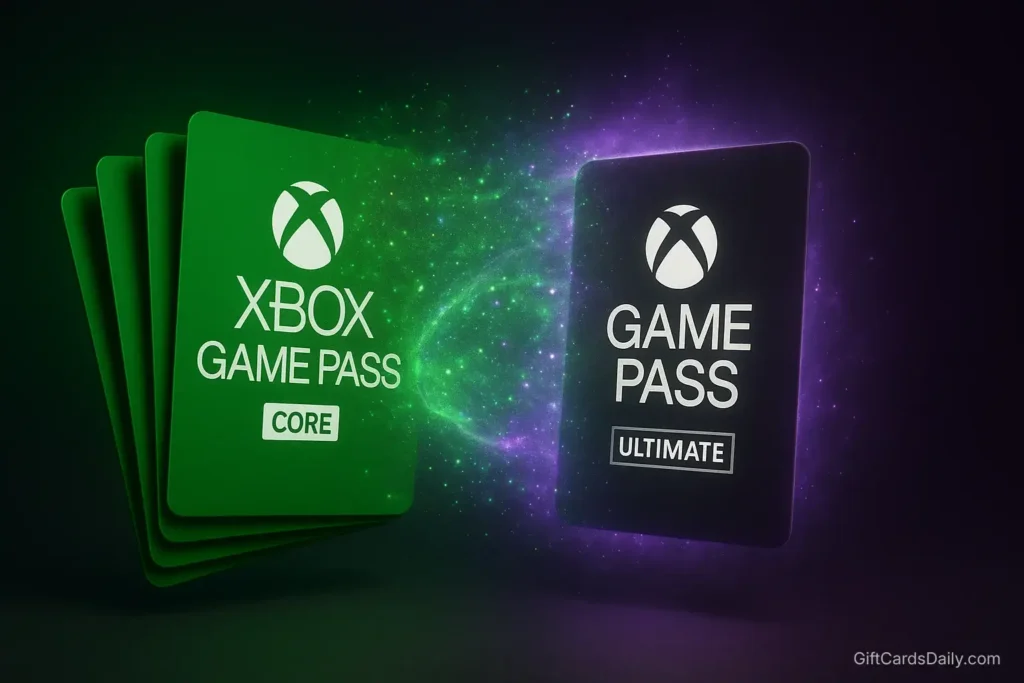
Here’s an advanced strategy that veteran Xbox users leverage to significantly reduce Game Pass Ultimate costs:
How the Conversion Works
Microsoft allows you to convert Xbox Game Pass Core (formerly Xbox Live Gold) subscriptions into Game Pass Ultimate at a conversion ratio when you first activate Ultimate.
Historical Context: The conversion used to be 1:1 (1 month Gold = 1 month Ultimate) before 2023. Microsoft has adjusted this multiple times, and rates vary by region and promotion timing. Always verify current conversion rates before purchasing bulk Core subscriptions.
Current Strategy (as of 2026):
- Purchase Xbox gift cards through GiftCards Daily or Microsoft Rewards
- Redeem gift cards to your Microsoft account balance
- Purchase up to 36 months of Game Pass Core using account balance
- Activate Game Pass Ultimate trial or 1-month subscription
- Your existing Core months convert to Ultimate (conversion rate varies but typically 3:2 or better)
Example Calculation
Scenario: You have $100 in earned Xbox gift cards
Option A (Direct Ultimate Purchase):
- $19.99/month × 5 months = 5 months of Game Pass Ultimate
Option B (Conversion Strategy):
- Purchase 12 months Game Pass Core: ~$60
- Purchase 1 month Game Pass Ultimate: ~$20
- Remaining balance: $20 for future use
- Result: 8-10 months of Game Pass Ultimate (depending on current conversion rate)
Savings: 60-100% more subscription time using the same $100
Important Notes
- Conversion rates change periodically—verify current rates on Microsoft’s support page
- Maximum stack: 36 months of subscription time total
- Only works if you don’t have active Ultimate subscription (let it expire first)
- Regional availability varies
Advanced Strategy: Combine this with Microsoft Rewards points redeemed for Core subscriptions for maximum efficiency.
For more information about optimizing gift card value across all gaming platforms, check our Ultimate Guide to Gaming Gift Cards.
Frequently Asked Questions
Do Xbox Gift Cards expire?
No. Xbox gift cards do not have expiration dates—both unredeemed codes and redeemed account balances remain valid indefinitely. Once you add funds to your Microsoft account, they never expire and can be used for any Microsoft Store purchase including games, subscriptions, movies, or apps across Xbox, Windows PC, and mobile devices.
Can I use an Xbox card to buy games on Windows PC?
Yes! Xbox gift cards add funds to your Microsoft account balance, not specifically your Xbox console. This balance works universally across:
Xbox Series X|S and Xbox One consoles
Windows PC (Microsoft Store and Xbox app)
Xbox mobile app
Web browser at xbox.com
Purchase PC games, Game Pass for PC, or any Microsoft Store content using the same gift card balance. Your Xbox and PC gaming are linked through a single Microsoft account.
Is Game Pass Ultimate worth it?
For most gamers, yes. Game Pass Ultimate provides:
400+ games across console and PC (constantly rotating with new additions)
Day-one releases of Microsoft first-party titles (Halo, Forza, Starfield, etc.)
EA Play membership included ($4.99/month value separately)
Cloud gaming on mobile devices, tablets, and select smart TVs
Online multiplayer on console (Xbox Game Pass Core functionality)
Value Calculation: If you play just 2-3 new releases per year at $70 each, Game Pass pays for itself. The real value comes from discovering indie games and catalog titles you wouldn’t normally purchase.
Exception: Casual gamers who only play 1-2 specific games (FIFA, Call of Duty) may not benefit—purchasing games outright could be cheaper than year-round subscription.
How long does it take to earn enough for Game Pass Ultimate?
Method 1 (GiftCards Daily): 2-3 weeks with 15-20 minutes daily effort = $20-25 gift card
Method 2 (Microsoft Rewards): 4-6 weeks with consistent daily searches and quests = $10-15 redemption
Combined Methods 1 + 2: 2-3 weeks to fully cover $19.99 monthly Game Pass Ultimate cost
Fastest Strategy: Use Method 1 as primary earner, with Method 2 providing supplemental points. Most dedicated users cover 100% of subscription costs within first month, then maintain indefinitely.
Can I share Game Pass with family?
Yes, through Xbox Home Sharing. Set your console as your “Home Xbox” and anyone using that console can access your Game Pass library, even if they’re signed into their own account. This effectively allows:
Your account: Access Game Pass on any Xbox you sign into
Family members: Access Game Pass on your designated Home Xbox
Important: You can only change Home Xbox 5 times per year. PC Game Pass is not shareable—it’s tied to individual Microsoft accounts.
Are there Xbox gift cards for other platforms?
Xbox gift cards are Microsoft ecosystem-exclusive and don’t work on PlayStation, Nintendo, or Steam. If you game across multiple platforms, you’ll need platform-specific cards. Check out our related guides:
Free PlayStation Gift Cards Guide for PS4/PS5
Get Free Nintendo eShop Codes for Switch
Free Steam Gift Cards Guide for PC gaming
Conclusion: Never Pay Full Price Again
Game Pass Ultimate is the gaming industry’s best value proposition—but $240 per year adds up fast. The good news? You don’t have to pay full price if you’re willing to invest 15-20 minutes daily into legitimate earning strategies.
The Optimal Xbox Strategy:
- Download GiftCards Daily: Primary earning method (fastest point accumulation)
- Enroll in Microsoft Rewards: Free passive earning through daily Bing searches and Game Pass Quests
- Set Bing as default search: Automate point earning during normal web browsing
- Complete Xbox Quests monthly: Launch games you’re already playing for bonus points
- Use Gold-to-Ultimate conversion: Maximize value when renewing subscriptions
Timeline to Free Gaming: Most users combining Methods 1 and 2 fully cover their Game Pass Ultimate subscription within the first month, then maintain indefinitely without touching their bank account.
Secure Your Next Month of Game Pass
Don’t let your subscription lapse and lose access to your game library, cloud saves, and online multiplayer. Download GiftCards Daily and start earning your next renewal today.
Whether you’re playing Starfield, grinding Halo Infinite ranked, or exploring indie gems on Game Pass, legitimate earning methods put you back in control of your gaming budget.
Stop searching for fake code generators. Start earning real Xbox credit the safe way.
Questions about getting started? Visit our Help Center or learn more about our verified earning system and privacy protections.
Related Gaming Guides:
- Ultimate Guide to Gaming Gift Cards – Master all gaming platforms
- How to Earn Free Game Codes Safely – Multi-platform strategies
- Free Steam Gift Cards Guide – For PC Game Pass users
- Free PlayStation Gift Cards Guide – Console alternatives
Official Xbox Resources:
- Microsoft Rewards Dashboard – Official loyalty program
- Xbox Support – Help center
- Xbox Game Pass – Subscription details
- Xbox Ambassadors – Community program
- Code Redemption – Redeem codes instantly