
Disney+ launched in 2019 at an attractive $6.99 monthly, positioning itself as the affordable family streaming option. That pitch is dead. The current pricing tells a different story:
- Disney+ Basic (with ads): $9.99/month
- Disney+ Premium (no ads): $15.99/month
- Disney Bundle Duo (Disney+ & Hulu with ads): $10.99/month
- Disney Bundle Trio (Disney+, Hulu, ESPN+ with ads): $16.99/month
For families who started subscribing at the original price, this represents a 56% increase in just five years. Add the fact that Disney removed password sharing capabilities and implemented stricter household verification, and you’re looking at significantly higher costs for the same content library.
If you’re a parent calculating monthly expenses, Disney+ likely falls into that frustrating category of “we can’t cancel it without the kids rioting, but we really shouldn’t be spending this much.” The solution isn’t cancellation—it’s covering your Disney+ subscription through earned gift cards instead of paying from your household budget.
This guide reveals legitimate methods to earn free Disney+ gift cards in 2026. These aren’t exploits or hacks—they’re legal reward programs that let you exchange downtime for streaming credit. By the end of this article, you’ll know exactly how to keep the magic alive without draining your wallet.
📌 Quick Answer: Get Disney+ Free
- The Problem: Disney+ costs $9.99-$15.99 monthly and removed password sharing.
- The Solution: Earn gift cards through legitimate reward apps during idle moments.
- The Method: Use platforms like GiftCards Daily to accumulate points, then redeem for Disney+ credit or app store cards.
- The Timeline: Typically 3-5 days of casual effort covers one month of Disney+ Basic.
Understanding Disney+ “Subscription Cards” vs. Traditional Gift Cards
Before diving into earning strategies, you need to understand Disney’s specific card terminology—because the naming can cause confusion.
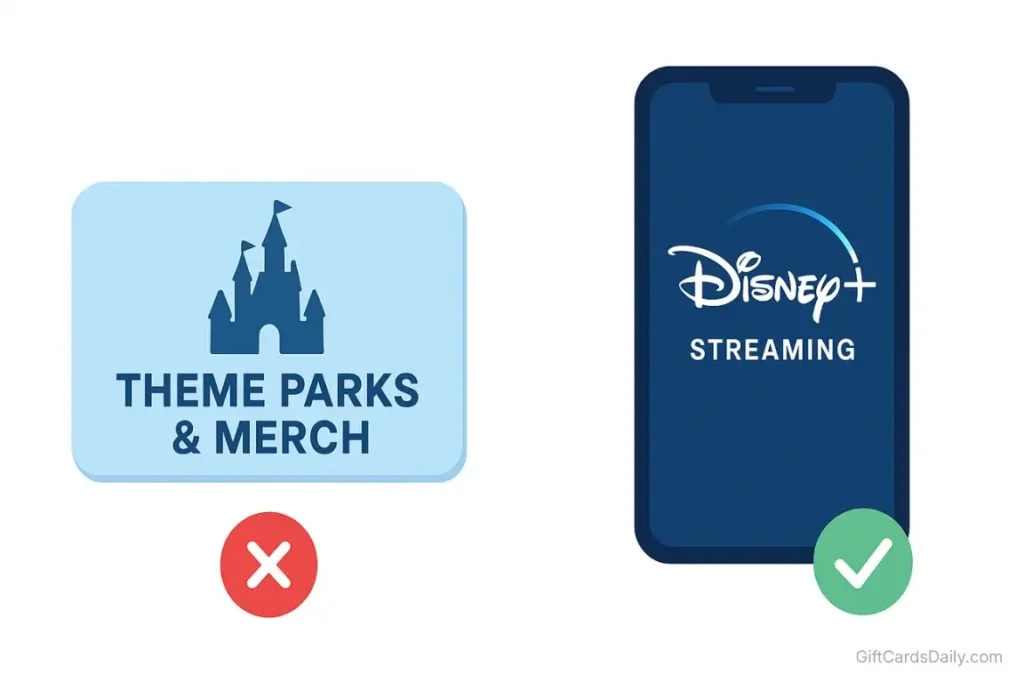
Disney+ uses “subscription cards” rather than traditional gift cards. While functionally similar, there’s an important distinction:
Disney+ Subscription Cards:
- Sold in time increments (1-month, 3-month, 12-month subscriptions)
- Redeem for a specific duration of service, not a dollar amount
- Typically provide access to Disney+ Basic (with ads)
- Cannot be used for Premium tier or bundle upgrades directly
Traditional Gift Cards (Disney Gift Cards):
- Work at Disney stores, theme parks, and Disney.com merchandise
- Generally do NOT work for Disney+ streaming subscriptions
- Different redemption system entirely
What reward platforms actually provide: Most reward apps, including GiftCards Daily, offer either Disney+ subscription cards OR the ability to redeem for PayPal cash or app store credits that can fund your Disney+ payment method. Direct Disney+ subscription cards are the cleanest path, but alternative funding methods work equally well.
The billing method matters: How you originally subscribed to Disney+ determines which redemption method you’ll use:
- Subscribed via DisneyPlus.com: Use Disney+ subscription cards or PayPal
- Subscribed via iOS App Store: Use iTunes/Apple gift cards
- Subscribed via Google Play Store: Use Google Play credits
- Bundled through Hulu billing: May need Hulu gift cards depending on configuration
Check your Disney+ account settings under “Billing Details” to confirm your payment method before choosing a redemption strategy.
Why “Free Disney+ Code Generators” Will Steal Your Identity
Let’s address the dangerous scams before focusing on legitimate solutions. Those websites advertising “unlimited Disney+ codes” or “working Disney+ generators 2026” are 100% fraudulent operations.
Here’s the technical reality: Disney+ subscription codes use cryptographically secure authentication generated and tracked by Disney’s payment infrastructure. Each code is a unique alphanumeric string linked to a specific subscription duration and can only be redeemed once. There is no algorithm that can “generate” valid codes—that’s not how digital redemption systems work.
These scam sites operate through several predatory models:
Account Credential Theft: They ask for your Disney+ login under the guise of “applying Premium directly to your account.” In reality, they’re stealing your credentials to hijack your account, access your payment information, or sell your data on the dark web.
Survey Loops: They promise a code after “one quick verification,” which leads to another survey, then another. You generate ad revenue for them while never receiving codes. These loops can continue for 30+ minutes before you realize you’ve been deceived.
Malware Distribution: The “code generator tool” you download installs spyware, keyloggers, or cryptocurrency miners that compromise your device and monitor your online activity.
Credit Card Phishing: They claim you need to verify you’re human by entering credit card details for a “$1 verification” that becomes recurring unauthorized charges or provides them with your full payment credentials.
The unvarnished truth: Legitimate Disney+ subscription codes must be purchased—either by you directly, or by an advertiser compensating a reward platform to distribute them. Anyone claiming to bypass this economic reality is running a scam designed to exploit your desire for free streaming.
Earning Disney+ Credit via GiftCards Daily
Instead of chasing fake generators, the proven method is GiftCards Daily—a legitimate reward platform that compensates users for completing simple tasks. The business model is straightforward: brands pay for your attention, and you receive a portion of that advertising budget in gift cards or cash.
Why This Is Perfect for Parents
Disney+ is primarily a family subscription, which means the typical user is juggling kids, work, and household responsibilities. The beauty of reward apps is they fit into the gaps already present in your routine:
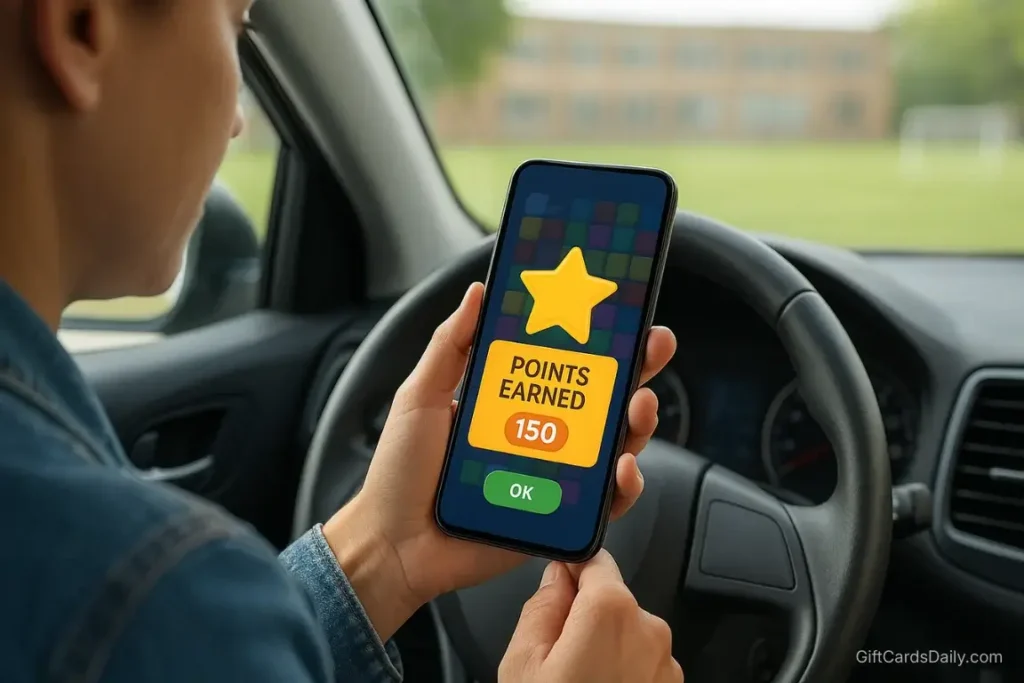
- School pickup line: Instead of scrolling Facebook for 15 minutes while waiting, complete video ads and earn points.
- Kids’ soccer practice: While sitting on the sidelines for an hour, knock out several game-based tasks.
- Lunch break at work: Redirect your typical social media time to reward-earning surveys.
- After kids’ bedtime: Spend 20 minutes on entertainment tasks instead of mindlessly browsing.
The strategy isn’t adding new time commitments—it’s redirecting existing phone time toward productive earning. You’re already spending 30-60 minutes daily on your device. That time can either generate $0 or cover your Disney+ subscription. The choice is yours.
Best Tasks for Disney+ Earnings
Download the GiftCards Daily app (available on Android) and create your free account. For fastest Disney+ earnings, prioritize these task categories:
Family & Entertainment Videos
- Watch 30-second ads for movies, shows, and family products
- Typical reward: 50-150 points per video
- Best for: Passive earning during commutes or waiting periods
Casual Mobile Games
- Install family-friendly games and reach specific milestones
- Rewards range from 500-2,500 points depending on difficulty
- Best for: Parents who already play mobile games or can involve kids in gameplay
Quick Surveys (2-4 Minutes)
- Answer questions about household purchases, entertainment preferences, or family activities
- Typical reward: 200-500 points per survey
- Best for: Focused earning sessions during lunch breaks
App Testing & Trials
- Try new family apps, educational tools, or entertainment platforms
- Higher rewards: 1,000-3,000 points for extended engagement
- Best for: Users comfortable exploring new applications
Realistic timeline expectations:
- $10 for one month of Disney+ Basic: 3-5 days of casual engagement (15-20 minutes daily)
- $16 for one month of Disney+ Premium: 5-7 days of focused effort (20-30 minutes daily)
- $30 for three months: 10-15 days of consistent participation
- $120 for a full year: 40-60 days of regular activity spread over time
Most families find that covering one month of Disney+ takes less than a week without disrupting their schedule. The key is consistency—earning 600-800 points daily is more sustainable than sporadic marathon sessions.
The “Double Dip”: Using Google Play Credits for Disney+
Here’s a strategy many users overlook: If you subscribed to Disney+ through the Google Play Store on Android, you can use Google Play gift cards to pay for your subscription.
GiftCards Daily frequently offers Google Play credit as a redemption option. This creates a valuable pathway:
- Earn points through GiftCards Daily tasks
- Redeem for Google Play gift cards ($10, $25, $50 denominations)
- Add the credit to your Google Play account
- Disney+ automatically draws from your Google Play balance each billing cycle
Why this matters: Google Play cards are often available when Disney+ subscription cards aren’t, giving you more redemption flexibility. This method works identically for users who manage their Disney+ subscription through the iOS App Store using iTunes gift cards.
To verify your billing method: Open Disney+ app > Profile > Account > Billing Information. If it says “Billed through Google Play” or “Billed through Apple,” this strategy is perfect for you.
How to Redeem Your Disney+ Subscription Card
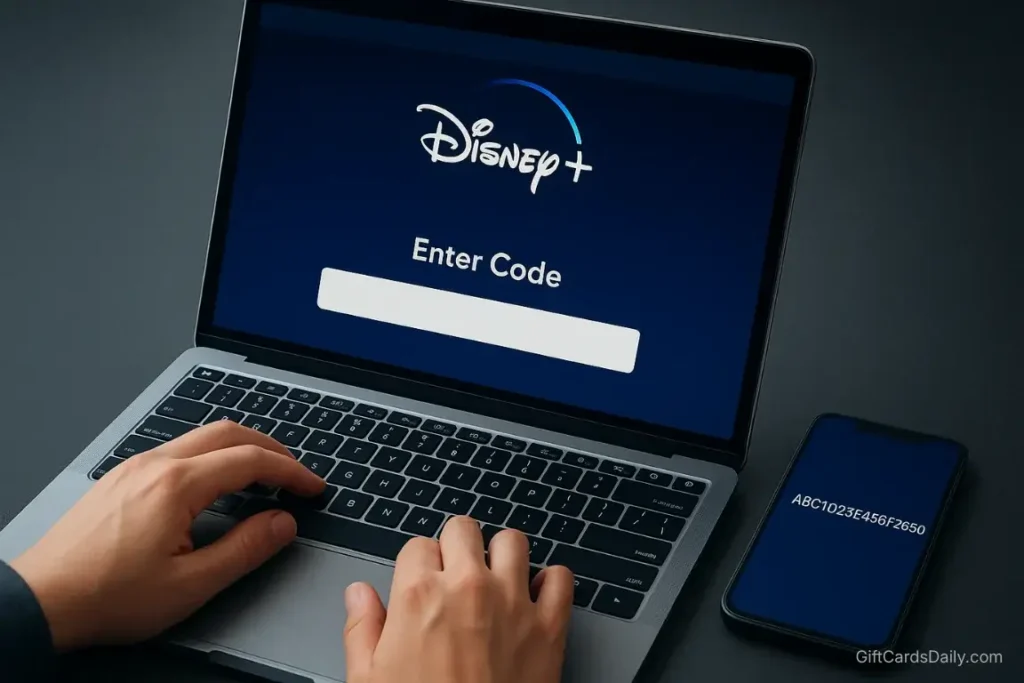
Once you’ve earned your Disney+ subscription code or loaded credit to your payment method, here’s the exact redemption process:
For Disney+ Subscription Codes:
- Access Your Account Settings: Go to DisneyPlus.com and log into your account (do not use the mobile app for redemption).
- Navigate to Billing: Click your profile icon > Account > Billing Details.
- Select “Redeem Code”: Look for the “Redeem Gift Subscription” or similar option in the billing section.
- Enter Your Code: Carefully type or paste your subscription code. These codes are case-sensitive and typically include both numbers and letters.
- Confirm Redemption: Click “Redeem” and your subscription extends immediately.
Important Notes:
- For active subscribers: The subscription time adds to your current plan. If you have a 3-month card, your next billing date pushes forward by 3 months.
- For new users: You can redeem a subscription card without entering any credit card information, giving you commitment-free access to Disney+.
- Tier considerations: Most subscription cards provide Disney+ Basic (with ads). If you want Premium (no ads), you may need to pay the difference or redeem for PayPal/app store credit instead.
For PayPal or App Store Payment Methods:
PayPal Method:
- Go to Disney+ Account > Billing Details > Update payment info
- Select PayPal as your payment method
- Disney+ automatically withdraws from your PayPal balance each month
- Keep your PayPal funded through reward app earnings
Google Play/iTunes Method:
- Ensure you subscribed via the mobile app (check billing details)
- Add earned gift card credit to your Google Play or Apple account
- Disney+ automatically draws from your app store balance
- No additional action needed once credit is loaded
Pro Tip: Set a calendar reminder 3-4 days before your Disney+ billing date. This ensures you have sufficient balance loaded through whichever payment method you’re using, preventing service interruptions.
Is There a Free Disney+ Trial in 2026?
The short answer: No, Disney+ does not currently offer free trials.
Disney eliminated their free trial in 2020 and has not reinstated it. Occasionally, they’ve offered limited promotional trials through specific partners (like certain credit card companies or cellular carriers), but these are rare and typically have restrictive eligibility requirements.
Why this matters for your strategy: Without a free trial option, earning gift cards through reward apps becomes the only legitimate way to access Disney+ without upfront payment. You can’t game the trial system because there isn’t one to game.
This lack of free trials actually strengthens the case for using reward platforms—it’s not a temporary workaround, it’s a sustainable method for ongoing access.
Verizon & Carrier Bundle Offers
While not technically “free,” certain cellular carriers include Disney+ as part of premium unlimited plans:
Verizon Unlimited Plans:
- The Disney Bundle (Disney+, Hulu, ESPN+) included with select unlimited plans
- Typically requires the premium-tier unlimited data plan ($80-90/month for single lines)
- Best for: Families already paying for Verizon’s top-tier unlimited service
Total by Verizon (Prepaid):
- Some prepaid plans include Disney+ Basic
- Check current promotions as offerings change quarterly
The math check: Don’t upgrade your phone plan solely for Disney+ inclusion. A premium unlimited plan costs $20-30 more monthly than basic plans. You’d spend $240-360 more annually to get a service worth $119.88. The math only works if you already wanted the premium plan features independent of streaming perks.
For most families, earning gift cards remains more cost-effective than carrier bundles unless you’re already paying for premium wireless service.
FAQ: Disney+ Gift Card Questions
Can I use these methods for the Disney Bundle (Hulu + ESPN+)?
Partially. Disney+ subscription cards only cover Disney+ itself. However, if you’re using the PayPal method, you can fund any bundle configuration since PayPal works as a universal payment method. Alternatively, if you subscribed through app stores, Google Play or iTunes credit covers the entire bundle charge.
Do Disney store gift cards work for Disney+ subscriptions?
No. Traditional Disney gift cards (the ones that work at Disney stores and theme parks) use a completely different system and cannot be redeemed for Disney+ streaming subscriptions. You specifically need Disney+ subscription cards or a compatible payment method like PayPal/app store credit.
What happens if my subscription card runs out mid-month?
This can’t happen with subscription cards—they’re based on time periods (1 month, 3 months, etc.), not dollar amounts. Your subscription remains active for the full duration, then reverts to your backup payment method afterward. If you don’t want to be charged, set a reminder to cancel or redeem another card before the subscription card period ends.
Can I gift earned Disney+ to family members?
Yes. If you redeem for Disney+ subscription card codes, you can simply share the code with family members for them to redeem on their own accounts. This makes it an excellent cost-free gift option for relatives, especially grandparents who want to watch content with grandchildren.
Can I upgrade from Basic to Premium using gift cards?
Disney+ subscription cards typically provide Basic tier access. To upgrade to Premium, you’ll need to either: (a) pay the difference through your account’s payment method, or (b) use the PayPal/app store credit method instead, which allows you to fund Premium subscriptions directly.
Keep the Magic Alive Without Draining Your Wallet
Disney+ has become essential family entertainment—it’s the only place to watch new Marvel shows, Star Wars series, Pixar films, and classic Disney content. But “essential” doesn’t mean you should pay $119.88-$191.88 annually from your household budget when you can cover it through earned rewards.
By dedicating just 15-20 minutes daily to reward-earning tasks on GiftCards Daily, you can realistically fund your entire Disney+ subscription. For families, this isn’t just about saving money—it’s about redirecting funds toward more important expenses like kids’ activities, education, or family savings.
The family budget math:
- Current spending: $10-16 monthly on Disney+ = $120-192 annually
- Time investment: 20 minutes daily redirected from social media
- Result: $120-192 freed up for groceries, kids’ activities, or savings
For the cost of downloading a free app, you can eliminate one recurring family expense permanently. Your kids won’t notice any difference in their Disney+ access, but your bank account absolutely will.
Ready to stream Disney+ for free? Download GiftCards Daily now and start earning your family’s next month of entertainment. Setup takes under 3 minutes, and you can complete your first task today.
Want more ways to cut streaming costs? Check out these related guides:
- Free Entertainment Gift Cards: Complete 2026 Guide (Parent resource covering all streaming platforms)
- Free Netflix Gift Cards Guide (Another family streaming option)
- GiftCards Daily App Review: Is It Worth Your Time? (Detailed platform evaluation)
Information accurate as of December 2024. Disney+ pricing and policies subject to change. Always verify current terms on DisneyPlus.com.


Thoughtful points and well-supported arguments. Good job!
Very readable and informative. Saved this for future reference.
This post answered a question I’ve had for ages. Thank you!