
The price of gaming keeps climbing. PlayStation Plus subscriptions increased to $80/year for Essential tier (and $160 for Premium), while new releases routinely launch at $70. If you’re a dedicated PS5 or PS4 player, these costs add up fast—potentially $300+ annually just to stay connected to your gaming community.
Here’s the frustrating part: searching for solutions online leads you straight into a minefield of fake PSN code generators that promise unlimited wallet funds but deliver only account theft and malware.
The good news? There are legitimate ways to earn free PlayStation gift cards without risking your account or personal information. We’ve tested the market to identify the only five safe methods that actually work in 2026, including Sony’s own official loyalty program that most players don’t even know exists.
Whether you need to renew your PS Plus membership, save up for the next major release, or just want to offset the rising cost of gaming, this guide shows you exactly how to do it safely.
🛑 The Truth About “PSN Code Generators”
Before we reveal legitimate earning methods, let’s expose the scam that traps thousands of PlayStation users every month.
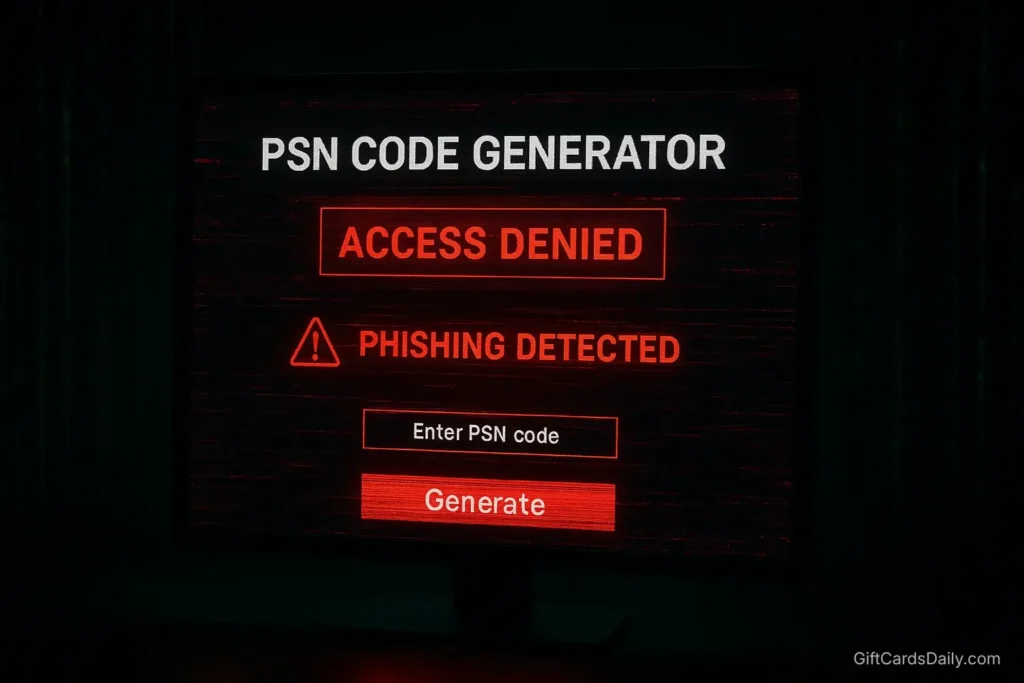
The Technical Reality
PlayStation Network (PSN) voucher codes are 12-digit alphanumeric codes generated exclusively by Sony’s secure servers. Each code is cryptographically unique, tracked in Sony’s central database, and linked to authorized retailer purchases. No third-party website can access Sony’s infrastructure to “generate” valid codes—this would require breaching enterprise-level security protecting millions of user accounts.
When sites claim to “hack PSN” or “exploit Sony’s system,” they’re using social engineering tactics, not actual technology.
What These Scam Sites Actually Do
Credential Phishing: Fake login pages that mimic the official PlayStation website to steal your:
- PSN Email and Password
- Years of trophy progress and save data
- Digital game library worth hundreds or thousands of dollars
- Payment information stored in your account
Malware Distribution: Downloaded “code generators” that install:
- Spyware that monitors your gaming habits and personal browsing
- Keyloggers capturing passwords across all your accounts
- Ransomware that locks your PC and demands payment
Survey Scams: The infamous “complete one offer to unlock your code” loop that generates ad revenue while cycling you through endless surveys that never deliver codes.
The Irreversible Consequence
Once your PSN account is compromised, Sony’s recovery process is notoriously difficult. You risk losing:
- Your entire digital game library
- All trophies and achievement history
- PS Plus benefits and cloud saves
- Payment methods and wallet balance
The Rule: If any site asks for your PSN email, password, or requires survey completion to “verify” or “unlock” codes, close the tab immediately. Legitimate gift cards are purchased or earned, never “unlocked.”
Now let’s discuss methods that actually work.
Method 1: The Easiest Way – GiftCards Daily App
Stop wasting time on fake generators. Turn your phone’s screen time into PlayStation Store credit using a legitimate rewards platform built specifically for gamers.
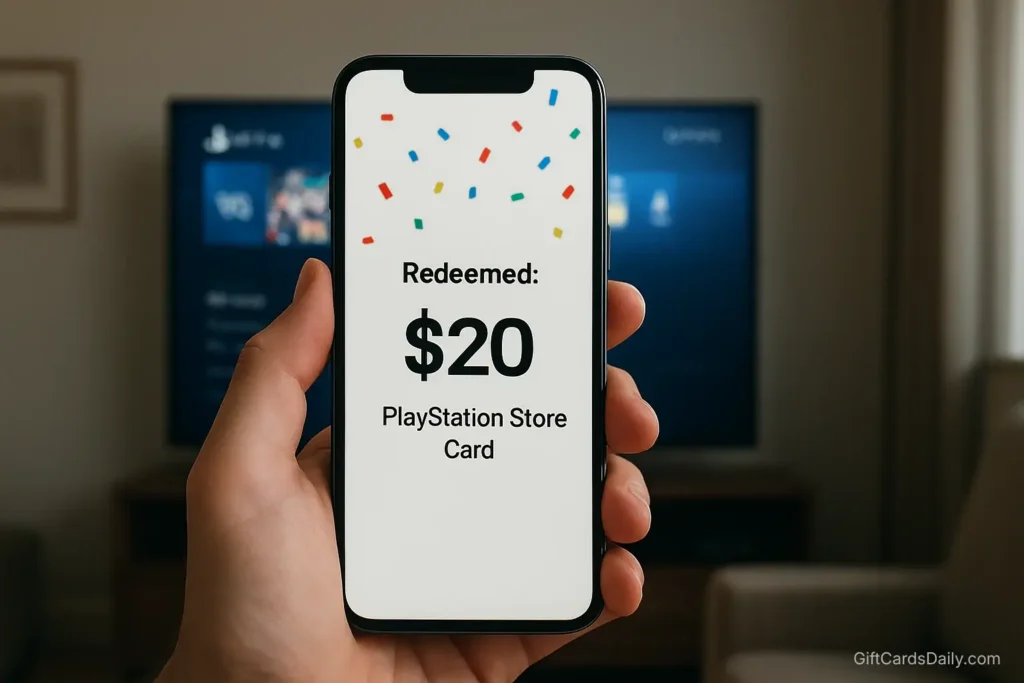
The Concept
GiftCards Daily converts simple mobile tasks into official PlayStation gift cards. Whether you’re saving for the latest AAA release or funding your monthly PS Plus subscription, this approach provides consistent earning without requiring you to be actively gaming.
What You Can Fund:
- PS Plus Essential, Extra, or Premium subscriptions
- New game purchases ($70 releases become more accessible)
- DLC expansions and season passes
- In-game currency (V-Bucks, COD Points via wallet funds)
- Movies and TV shows from PlayStation Store
How It Works for PlayStation Gamers
1. Download the App: Free account creation on iOS or Android (no credit card required)
2. Complete Tasks During Downtime:
- Between matches: Complete 5-10 minute surveys while waiting for friends
- On your commute: Watch sponsored videos on the way to work or school
- During downloads: Try new mobile games while your PS5 installs updates
- Before bed: Stack points with quick offers before sleeping
3. Redeem for PSN Credit: Exchange accumulated points for PlayStation Store gift cards in your account’s currency (USD, EUR, GBP, etc.)
Why This Beats Other Methods
Subscription Coverage: PS Plus Essential costs $80/year (about $6.67/month). Most users earn this amount in 2-3 weeks with consistent daily engagement—meaning you can keep your online multiplayer access running indefinitely without paying.
Timing Flexibility: PlayStation Store sales are time-sensitive. When that game you’ve been eyeing drops to $20 for 48 hours, you need funds immediately. GiftCards Daily delivers codes within 24-48 hours—fast enough to catch limited-time deals.
No Gaming Required: Unlike PlayStation Stars (Method 2), you don’t need to play specific games or unlock trophies. Earning happens completely independently from your console.
Region Selection: Choose your PSN region during redemption to avoid the region lock issues that plague grey market purchases (detailed later).
Start Earning PS Plus Codes Now →
Method 2: The Official Way – PlayStation Stars
This is Sony’s official loyalty program that most PlayStation users don’t even know exists. If you’re not enrolled, you’re leaving free money on the table.

What Is PlayStation Stars?
Launched in 2022, PlayStation Stars is Sony’s free rewards program accessible through the PlayStation App on your phone or directly on your PS5 console. Think of it as Sony’s answer to Xbox Rewards—earn points for activities you’re already doing, then exchange them for wallet funds or games.
Eligibility: Free to join for all PSN account holders (no PS Plus membership required, though members earn bonus points)
How to Earn PlayStation Stars Points
Monthly Campaigns (Primary Method):
- Complete specific challenges like “Play any game” or “Win a tournament”
- Campaign requirements rotate monthly and are usually simple
- Typical reward: 50-100 points per campaign
Digital Purchases (PS Plus Members Only):
- Earn points on every digital game purchase from PlayStation Store
- Rate varies but typically 1 point per dollar spent
- Bonus points during special promotions (double points weekends)
Trophy Unlocking:
- Certain campaigns reward earning specific trophies
- “Earn any trophy this month” campaigns are common
- Connects your natural gameplay to point earning
Rare Collectibles:
- Digital collectibles (similar to NFTs but non-transferable) awarded for milestones
- Some collectibles convert to bonus points
Redemption Options
Points convert to real PlayStation Store value:
- 1,250 points = $5 PlayStation Store credit
- 5,000 points = $20 PlayStation Store credit
- Variable points = Select full games from rotating catalog
Realistic Earning Timeline: Active players completing monthly campaigns and purchasing games digitally can accumulate $20-40 in wallet funds annually. Combined with Method 1, this accelerates your earning significantly.
How to Join
- Download the official PlayStation App (iOS/Android)
- Sign in with your PSN account
- Navigate to PlayStation Stars tab
- Accept the Terms of Service (required for enrollment)
- Complete enrollment (takes about 30 seconds)
- Start completing campaigns immediately
Pro Tip: Enable push notifications so you never miss limited-time campaigns. Some high-value challenges are only available for 48-72 hours.
Method 3: Cashback Apps (Buying Games to Get Games)
This strategy leverages shopping portals to earn cash on physical game purchases, then converting that cash into digital PSN codes—effectively double-dipping on rewards.
Rakuten: Shopping Portal Cashback
Rakuten (formerly Ebates) offers cashback when shopping through their portal at major retailers.
The Strategy:
- Create free Rakuten account
- Search for “Best Buy” or “GameStop” in Rakuten’s portal
- Click through to retailer’s site (activates cashback tracking)
- Purchase physical PlayStation games as normal
- Earn 2-5% cashback credited to your Rakuten account
- Quarterly payout via PayPal or check
- Use payout to purchase PSN gift cards
Example Calculation:
- Buy God of War Ragnarök physical disc: $70
- Best Buy via Rakuten: 4% cashback = $2.80
- Buy Spider-Man 2 physical disc: $70
- Best Buy via Rakuten: 4% cashback = $2.80
- Total earned: $5.60 toward next digital purchase
Triple Dipping: If you’re a PlayStation Stars member AND use a cashback credit card, you earn:
- PlayStation Stars points on subsequent digital purchases
- Rakuten cashback on physical purchases
- Credit card rewards on all purchases
Fetch Rewards: Receipt Scanning
Fetch Rewards lets you scan any receipt (groceries, gas, retail) to earn points convertible to gift cards including PSN.
Process:
- Download Fetch app
- Scan grocery/shopping receipts after purchases
- Earn points based on featured brands (250-1,000 per receipt)
- Redeem 3,000 points for $3 gift cards (scales up)
Timeline: Expect 4-6 weeks of regular shopping to earn first $5 PSN card. This is the slowest method but requires zero extra effort—you’re shopping anyway.
Method 4: Survey Sites (Swagbucks / InboxDollars)
For PlayStation gamers who prefer desktop-based earning over mobile apps, established GPT (Get Paid To) sites offer PSN gift card redemption.
Swagbucks
Swagbucks is the industry’s largest reward platform with over 20 million users and proven 18-year track record.
Earning Methods:
- Daily surveys (10-20 minutes, $0.50-2.00 each)
- Shopping cashback (stack with Rakuten for double rewards)
- Watch video playlists (passive earning while doing other tasks)
- Web searches using Swagbucks search engine
PSN Redemption: 500 SB points = $5 PlayStation Store gift card
Reality Check: Casual users earn $10-15/month, requiring 2-3 weeks for first PSN redemption. Survey disqualifications are common (you might not fit demographic requirements).
InboxDollars
InboxDollars pays in cash rather than points, though gift cards remain available.
Unique Features:
- $5 signup bonus (head start toward payout)
- Email offers (paid to read promotional emails)
- Higher survey payouts than competitors ($1-3 each)
Drawback: $30 minimum payout threshold is frustrating. Takes 3-4 weeks of consistent activity to reach first cashout.
Comparison to Method 1
Survey sites work but require significant time investment and tolerance for disqualifications. GiftCards Daily offers faster earning with mobile-optimized tasks specifically curated for gamers—think watching gaming-related videos rather than answering “Do you use laundry detergent?” for the hundredth time.
Method 5: Official Tournaments (PS5 Competition Center)
For skilled players, Sony’s built-in tournament system offers direct PlayStation Store credit as prizes—no third-party platforms required.
How PS5 Tournaments Work
Access: Navigate to Events tab on your PS5 dashboard (available on PS5 consoles only, not PS4)
Available Games: Rotating selection includes:
- FIFA/EA Sports FC (weekly tournaments)
- NBA 2K (seasonal competitions)
- Mortal Kombat, Street Fighter (fighting game brackets)
- Call of Duty (limited-time events)
Prize Structure:
- Top performers receive PSN wallet credit directly
- Prizes range from $5-100 depending on tournament tier
- Some events award exclusive avatars or themes
Requirements
Skill Level: Most tournaments are skill-based matchmaking, so you compete against similarly-ranked players. You don’t need to be a pro—consistent top 25% finishes in your bracket can earn rewards.
Time Investment: Tournaments typically require 3-5 matches over several hours. Not passive earning, but potentially high value per hour for competitive players.
PS Plus Essential: Most tournaments require active PS Plus subscription for online play eligibility.
Realistic Expectations
This method is not reliable for most players. If you’re already competing in FIFA Ultimate Team or NBA 2K MyTeam at high levels, tournaments provide bonus earning. For casual players, Methods 1-2 offer better time-to-reward ratios.
Pro Tip: Follow @PlayStation on Twitter for announcements of special high-value tournaments during major gaming events like E3 or The Game Awards.
Critical Warning: Region Locks on PSN
This is the #1 reason PlayStation gift cards fail to redeem. Understanding regional restrictions prevents you from wasting money on unusable codes.
The Region Lock Rule
Your PSN account is permanently locked to the country you selected during account creation. A US PSN gift card will not work on a UK, EU, Canadian, or Australian account—even if you physically live in the US.
Example Scenarios:
❌ Won’t Work: You created a UK PSN account years ago, moved to the US, and purchased a $50 US PSN card from Target
✅ Will Work: You verify your account is US-region and purchase US-specific PSN cards
❌ Won’t Work: Buying “PSN cards” on grey market sites that don’t specify region
✅ Will Work: Using GiftCards Daily and selecting your specific region during redemption
How to Check Your PSN Account Region
On PS5/PS4 Console:
- Settings → Users and Accounts → Account
- Your region is displayed under “Country/Region of Residence”
- This cannot be changed after account creation
On PlayStation App:
- Profile → Settings → Account Information
- Verify “Country/Region”
Critical Note: Your physical location doesn’t matter—only your account’s registered region. If you travel internationally or relocate, you still must purchase cards matching your original account region.
Currency Confusion
PSN uses different pricing structures by region:
- US accounts: $10, $25, $50, $100 denominations in USD
- UK accounts: £10, £25, £50 in GBP
- EU accounts: €10, €25, €50 in EUR
A $50 US card ≠ £50 UK card in real value due to exchange rates and regional pricing differences.
The GiftCards Daily Advantage
When redeeming through GiftCards Daily, you explicitly select your PSN region during the redemption process. The platform delivers the correct regional code automatically—eliminating guesswork and purchase errors.
For comprehensive information about regional restrictions across all gaming platforms, check our Ultimate Guide to Gaming Gift Cards.
Frequently Asked Questions
Can I use a PSN card to buy V-Bucks/COD Points?
Yes. Once you redeem a PlayStation gift card to your PSN wallet, those funds work exactly like any other wallet balance. You can use them to purchase in-game currency for Fortnite (V-Bucks), Call of Duty (COD Points), Apex Legends (Apex Coins), or any other game’s microtransactions available through the PlayStation Store.
The gift card adds universal credit to your wallet—it’s not restricted to game purchases only.
Do PlayStation Store codes expire?
Standard PlayStation Store gift cards do not expire once purchased. Unredeemed codes remain valid indefinitely, and once redeemed to your wallet, the balance never expires. However, promotional codes from special events, PS Plus trials, or marketing campaigns typically expire 30-90 days after distribution and will clearly state their expiration date. Always redeem promotional codes promptly.
Is PlayStation Stars free to join?
Yes, PlayStation Stars is completely free to join for all PSN account holders. You do not need an active PS Plus subscription to enroll or earn points, though PS Plus members receive bonus point multipliers on digital purchases. There are no membership fees, no hidden costs, and no minimum purchase requirements to start earning.
Can I stack multiple PSN gift cards?
Yes, but your PSN wallet has a maximum balance limit of $150-200 depending on your region. You can redeem multiple gift cards sequentially until reaching this cap. Once at the limit, you must spend down your balance before adding more funds. This limit exists to prevent fraud and unauthorized large purchases.
How do I redeem PSN codes?
On Console: PlayStation Store → Profile Icon (top right) → Redeem Codes → Enter 12-digit code
Via Browser: store.playstation.com → Sign in → Account Menu → Redeem Codes
On PlayStation App: Store tab → Profile icon → Redeem Codes
Codes are not case-sensitive but contain no confusing characters (no O, 0, I, or 1). For detailed redemption help, visit PlayStation Support.
Are there PlayStation gift cards for other platforms?
PSN cards are PlayStation-exclusive and don’t work on other gaming platforms. If you game across multiple systems, you’ll need platform-specific cards. Check out our related guides:
How to Get Free Xbox Gift Cards for Game Pass
Get Free Nintendo eShop Codes for Switch
Free Steam Gift Cards Guide for PC gaming
Can I gift PS Plus subscriptions to friends?
Yes! Purchase PS Plus subscription codes as gifts through retailers or GiftCards Daily, then share the code with your friend via email or message. They redeem it to their account, and the subscription time is added immediately. This works for Essential, Extra, and Premium tier subscriptions.
Conclusion: Keep Your PS Plus Running Without Paying
PlayStation gaming shouldn’t require choosing between online multiplayer access and buying new games. By combining Sony’s official PlayStation Stars program with external earning platforms like GiftCards Daily, you can maintain your PS Plus subscription and build your digital library simultaneously—without touching your bank account.
The Optimal Strategy:
- Enroll in PlayStation Stars today: Free passive earning while you game normally (5 minutes to sign up)
- Download GiftCards Daily: Active earning during downtime between matches or on mobile (15-20 minutes daily)
- Enable Rakuten cashback: If buying physical games, might as well earn extra rewards (one-time setup)
- Check PS5 tournaments: Competitive players can supplement with tournament winnings (optional)
Timeline to First Reward: Most users combining Methods 1 and 2 earn their first $20-30 in PSN credit within their first month—enough to cover a month of PS Plus Extra or a discounted game during PlayStation Store sales.
Don’t Let Your PS Plus Expire
Losing access to online multiplayer, monthly free games, and cloud saves disrupts your gaming routine. Download GiftCards Daily and start earning your next subscription renewal today. Whether you’re funding God of War Ragnarök, maintaining your Apex Legends rank, or just want to keep playing Warzone with friends, legitimate earning methods put you back in control.
Stop searching for fake generators. Start earning real PSN credit the safe way.
Questions about getting started? Visit our Help Center or learn more about our verified earning system and privacy protections.
Related Gaming Guides:
- Ultimate Guide to Gaming Gift Cards – Master region locks across all platforms
- How to Earn Free Game Codes Safely – Multi-platform strategies
- Free Steam Gift Cards Guide – For PC gamers
- Free Xbox Gift Cards Guide – Game Pass alternatives
Official PlayStation Resources:
- PlayStation Stars Program – Official loyalty program
- PlayStation Support – Help center
- PlayStation Store – Digital storefront
- Code Redemption Portal – Redeem codes instantly