
It happens every year like clockwork: Steam announces the Summer Sale or Winter Sale, your wishlist explodes with 50-90% discounts, and suddenly that $60 AAA game you’ve been eyeing costs $15. There’s just one problem—your Steam Wallet shows $0.00.
PC gaming offers incredible value compared to console gaming, but building a quality library still requires capital. The good news? The Steam ecosystem provides unique opportunities to earn free credit that console players simply don’t have access to. From leveraging Steam’s internal economy to using external reward platforms, there are legitimate ways to top up your wallet without touching your bank account.
This guide reveals five verified methods for earning free Steam gift cards in 2025, including one “insider” strategy that’s already built into your Steam account. No generators, no scams—just practical approaches used by thousands of PC gamers worldwide.
⚠️ The “Steam Code Generator” Scam (Read This First)
Before we dive into legitimate methods, let’s address the elephant in the room: Steam code generators are technically impossible and always malicious.
The Technical Reality
Steam Wallet codes and game keys are generated using AES-256 encryption on Valve’s secure servers. Each code is cryptographically unique, tracked in centralized databases, and linked to purchase records. No third-party website can access Valve’s infrastructure to “generate” valid codes—it would require breaching military-grade encryption protecting a multi-billion dollar company.
When you see sites claiming to “hack Steam” or “exploit Valve’s algorithm,” they’re lying. Period.
The Real Risk: Your Entire Library
Here’s what these scam sites actually do:
Phishing for Credentials: Fake login pages that steal your Steam username and password. Once compromised, attackers can:
- Drain your Steam Wallet balance
- Steal valuable CS2 skins and TF2 items
- Trade away your entire inventory
- Lock you out of your own account
Malware Distribution: Downloaded “generators” install:
- Keyloggers that capture your passwords across all sites
- Cryptocurrency miners that destroy GPU performance
- Ransomware that encrypts your files
Survey Scams: Endless “human verification” loops that generate ad revenue while never delivering codes.
The Stakes: Your Steam library represents potentially thousands of dollars in purchased games. Risking it for a fake $20 code is catastrophically poor risk management. Don’t do it.
Now let’s talk about methods that actually work.
Method 1: The Fastest Way – GiftCards Daily App
Here’s what most PC gamers don’t realize: you don’t need a PC-only solution. While you’re waiting for matchmaking, installing updates, or letting shaders compile, you can be earning Steam Wallet credit on your phone.

The Concept
GiftCards Daily converts simple mobile tasks into Steam gift cards. Unlike methods that require specific games or hardware, this approach works universally—whether you’re a competitive FPS player, indie game collector, or strategy enthusiast.
What You Get: Digital Steam Wallet codes delivered via email that work for:
- Game purchases (new releases or catalog titles)
- DLC expansions and season passes
- In-game items and cosmetics
- Steam Deck hardware
- Software and productivity tools
How It Works for PC Gamers
1. Download the App: Free account creation, works on iOS/Android
2. Complete Tasks During Downtime:
- Between CS2 competitive matches (5-10 minute surveys)
- While Dota 2 finds servers (watch sponsored videos)
- During game downloads and updates (try new mobile games)
- On your commute or lunch break (passive earning away from PC)
3. Redeem for Steam Credit: Accumulate points, cash out for Steam Wallet codes in your preferred currency (USD, EUR, GBP, etc.)
Why This Works Better Than Alternatives
Timing Advantage: Steam Sales are time-sensitive. When that must-have game drops to $5 for 48 hours, you need funds now. GiftCards Daily delivers codes within 24-48 hours—fast enough to catch limited-time deals.
No Hardware Requirements: Trading card farming requires owning games. GPU mining apps (Salad, Honeygain) need high-end hardware. GiftCards Daily works on any budget smartphone.
Region Flexibility: Choose your Steam Wallet currency during redemption (critical for avoiding region lock issues covered later).
Transparent Point System: Every offer displays exact point values upfront. No surprise disqualifications after completing 20-minute surveys.
Method 2: The “Insider” Strategy – Selling Steam Trading Cards
This is where PC gaming gets interesting. Your Steam library is already generating passive income, and most players don’t even realize it.
What Are Steam Trading Cards?
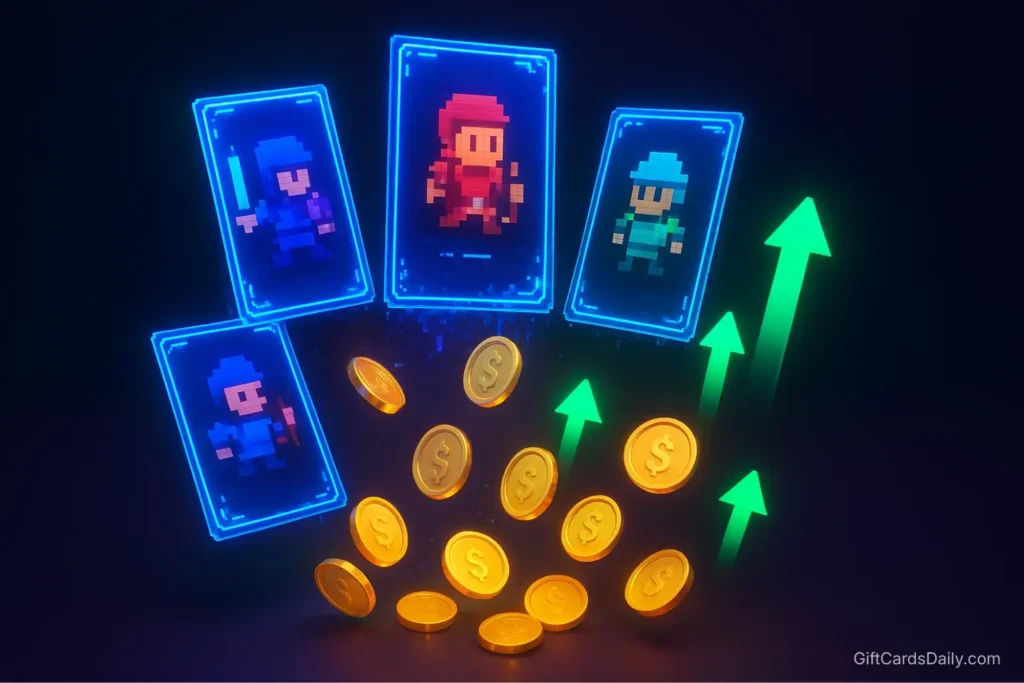
Digital collectibles that drop randomly while you play games that support them (approximately 50% of Steam’s catalog). Each game typically drops half of its card set, with the remainder requiring trading or marketplace purchases to complete.
The Monetization Process
Step 1: Play Games You Own
- Cards drop automatically based on playtime
- Most games drop 3-5 cards over 2-4 hours of gameplay
- No skill required—just running the game counts
Step 2: Check Your Inventory
- Steam → Profile → Inventory → Steam Trading Cards
- View all dropped cards across your library
Step 3: Sell on Community Market
- Click any card → “Sell” → Set price (or use suggested price)
- Cards typically sell for $0.05 – $0.30 each depending on rarity and game popularity
- Steam takes a small transaction fee (typically $0.01)
The Idle Farming Strategy
Here’s the insider trick: you don’t need to actively play. Launch games, let them run in the background while you browse, work, or play other games. Cards drop based on time, not interaction.
Free Tool: Idle Master automates this process by cycling through games that still have card drops available. While technically against Steam’s ToS, Valve historically hasn’t banned accounts for using it (use at your own risk).
Realistic Earnings:
- Average library of 50 games: ~$15-25 in card sales
- Large library of 200+ games: $50-100+ potential
- Ongoing income as you purchase new games
Important Note: This is genuine passive income from games you already own. Combined with Method 1, you’re earning from both external tasks and internal Steam economy.
Community Market Tips
- Sell during seasonal events: Card prices spike during Steam Sales when players craft badges for Sale Cards
- Don’t quick-sell: Accepting Steam’s suggested price often undersells rare cards
- Focus on new releases: Cards from recently released games command premium prices
- Badge completion bonus: Some players prefer selling all cards rather than crafting badges (which consume cards for cosmetics)
Visit the official Steam Community Market to explore current card prices and market trends.
Method 3: Selling In-Game Items (CS2 & Rust)
If you actively play games with robust item economies, you’re potentially sitting on weekly revenue streams.

Counter-Strike 2: Weekly Case Drops
Every week, CS2 players receive random case drops while playing. These cases contain weapon skins but require keys to open (which cost money). However, you can sell cases directly without opening them.
Current Market Reality (as of 2025):
- Common cases: $0.10 – $0.50 each
- Rare operation cases: $1.00 – $5.00+ each
- Annual earnings (playing casually 5 hours/week): ~$10-20
The Strategy: Never open cases unless you’re willing to gamble. Sell them immediately on the Steam Community Market for guaranteed income rather than risking $2.50 on a key for a $0.05 skin.
Rust: Twitch Drop Items
Rust integrates with Twitch, offering cosmetic item drops for watching partnered streams. Many of these items can be sold on Steam’s marketplace:
- Watch eligible Rust streams
- Link Steam account to Twitch
- Receive random item drops
- Sell items that don’t match your aesthetic preferences
Other Games with Tradeable Economies
- Team Fortress 2: Random weapon and cosmetic drops
- Dota 2: Immortal treasures and battle pass items (some tradeable)
- PUBG: Crate drops similar to CS2 system
Limitation: This method requires owning specific games and actively playing them. Not universal like Method 1, but excellent supplemental income for players already invested in these titles.
Method 4: Passive Earning Apps (Buff / Salad)
For PC gamers with mid-to-high-end hardware, specialized passive earning applications leverage your system’s idle capacity.
Buff: Gaming Performance Tracking
Buff runs in the background while you play supported games, tracking performance and awarding points that convert to gift cards.
How It Works:
- Install Overwolf platform (lightweight overlay)
- Play supported titles (League of Legends, Valorant, Apex Legends, Fortnite)
- Earn points based on playtime and in-game achievements
- Redeem for Steam gift cards
The Reality: Earnings are slow—expect $2-5 per month of regular gaming. The advantage is complete passivity (you’re gaming anyway), but it requires playing Buff’s supported games.
Salad: GPU Resource Sharing
Salad uses your GPU’s idle capacity for containerized workloads—primarily AI processing, machine learning tasks, and bandwidth sharing—when you’re not gaming, compensating you with balance redeemable for Steam codes.
Requirements:
- NVIDIA GTX 1060 or better (6GB+ VRAM)
- Reliable internet connection
- Willingness to run software 24/7 when not gaming
Earnings: $10-30/month depending on GPU power and electricity costs
Drawbacks:
- Increases electricity bill (may offset earnings)
- Generates heat and hardware wear
- Not viable for laptop users or older systems
Comparison to Method 1: These apps require specific hardware and game libraries. GiftCards Daily works universally with just a smartphone, making it more accessible for gamers regardless of their PC specs or game collection.
Method 5: Legit Reward Sites (Swagbucks / Idle Empire)
For PC gamers who prefer desktop-based earning over mobile apps, established GPT (Get Paid To) sites offer Steam gift card redemption.
Swagbucks
Swagbucks is one of the oldest reward platforms (founded 2008) with proven payout history.
Earning Methods:
- Daily polls and surveys (10-20 minutes)
- Shopping cashback through their portal
- Web searches using Swagbucks search engine
- Watching video playlists
Steam Redemption: 500 SB points = $5 Steam gift card
Timeline: Casual users typically earn $10-15/month, requiring 2-3 weeks for first Steam card
Idle Empire
Idle-Empire targets gamers specifically, offering Steam-focused rewards.
Unique Features:
- Daily free cases (loot box mechanic for bonus points)
- Crypto faucet for small passive earnings
- Survey walls and offer walls similar to other GPT sites
Steam Focus: Direct Steam Wallet code redemption at multiple denominations
Caveat: Smaller platform with fewer offers than Swagbucks, but gaming-specific community
The Desktop Survey Reality
Survey sites work but require significant time investment:
- Disqualifications are common (you might not fit demographic)
- Payout thresholds can be frustrating
- Survey fatigue is real after repetitive questions
Recommendation: Use these as supplements to faster methods like GiftCards Daily, not primary earning strategies.
Important: Understanding Steam Region Locks
This is critical information that can save you from wasting money on unusable codes.
Steam Wallet Currency Restrictions
As of 2024, Valve implemented stricter currency-locked gift cards. You cannot redeem a USD Steam card on an account set to EUR, GBP, or any other currency.
How to Check Your Steam Wallet Currency:
- Open Steam client
- Navigate to Account Details → Store & Purchase History
- Your wallet currency is displayed at the top
- This cannot be changed without contacting Steam Support with proof of relocation
Region Lock Example Scenarios
❌ Won’t Work: Purchasing a $50 USD Steam card from Amazon US while your Steam account is set to EUR
✅ Will Work: Purchasing a €50 EUR Steam card that matches your account currency
❌ Won’t Work: Buying cards from grey market sites that don’t specify region
✅ Will Work: Using GiftCards Daily and selecting your specific currency during redemption
Why This Matters for Our Methods
Method 1 (GiftCards Daily): Offers currency selection during redemption—avoiding region issues entirely
Method 2-3 (Steam Internal Economy): No region issues—selling items adds funds directly to your existing wallet
Method 5 (Reward Sites): Requires careful verification of gift card region before redemption
Pro Tip: If you’ve recently relocated or created your Steam account while traveling, verify your wallet currency before pursuing any external gift card earning methods. For more information about regional restrictions across all gaming platforms, check our Ultimate Guide to Gaming Gift Cards.
Frequently Asked Questions
Can I transfer Steam Wallet funds to PayPal?
No. Steam Wallet funds are locked to your Steam account and cannot be withdrawn to external payment services like PayPal, bank accounts, or other platforms. Once money enters your Steam Wallet (whether through gift cards or selling items), it can only be spent within the Steam ecosystem. This is Valve’s policy to prevent money laundering and unauthorized transactions.
Do Steam Wallet codes expire?
No. Unredeemed Steam Wallet codes do not expire—they remain valid indefinitely until redeemed. However, once redeemed to your account, the balance also never expires. This makes Steam gift cards excellent for long-term savings toward future purchases. For detailed redemption help, visit Steam Support.
Is it safe to use “Idle Master” for card farming?
Idle Master operates in a grey area. While it technically violates Steam’s Terms of Service (Section 2C: “You may not use Cheats, automation software, bots, hacks, mods…”), Valve has historically not banned accounts for using it. Thousands of users have farmed cards this way since 2013 without consequences.
However, use at your own risk—Valve could theoretically enforce this rule at any time. A safer alternative is manual idle farming (launching games and letting them run).
How long does it take to earn $20 in Steam credit?
Method 1 (GiftCards Daily): 1-2 weeks with 15-20 minutes daily engagement
Method 2 (Trading Cards): Instant if you have a large library; one-time harvest of $15-50+
Method 3 (CS2 Items): 2-4 months of casual play ($0.50-1.00 per week)
Method 4 (Buff/Salad): 1-2 months of passive background running
Method 5 (Swagbucks): 3-4 weeks of consistent survey completion
Fastest Strategy: Combine Methods 1 and 2—cash out existing trading cards immediately while earning new credit through GiftCards Daily.
Are there Steam gift cards for other platforms?
Steam is PC-exclusive and does not work on console platforms. If you also game on consoles, you’ll need platform-specific gift cards. Check out our related guides:
How to Get Free Xbox Gift Cards for Xbox/Game Pass
Get Free Nintendo eShop Codes for Switch
Free PlayStation Codes Guide for PS4/PS5
Can I buy games as gifts using Steam Wallet funds?
Yes! Steam Wallet can purchase games as gifts for friends. Navigate to any game page, select “Purchase as a Gift,” and the recipient receives it via email or Steam inventory. This is excellent for using earned credit to split the cost of multiplayer games with friends.
Conclusion: Stack Your Steam Wallet Before the Next Sale
PC gaming’s greatest advantage isn’t just better graphics or mod support—it’s the economic flexibility that consoles can’t match. By combining external earning platforms with Steam’s internal economy, you can build a legitimate revenue stream that funds your hobby without touching your bank account.
The Optimal Strategy:
- Immediate Action: Harvest all existing trading cards from your library (Method 2) for instant $15-50+
- Ongoing Earning: Download GiftCards Daily for consistent weekly credit (Method 1)
- Passive Income: If you play CS2/Rust/TF2, sell all cases and drops rather than opening them (Method 3)
- Supplemental Earning: Run Buff/Salad if you have compatible hardware (Method 4)
Timeline to First Major Sale: Most users combining Methods 1 and 2 accumulate $50-100 within their first month—perfectly timed for Steam’s major seasonal sales.
Ready for the Next Winter Sale?
Stop watching sales pass by with an empty wallet. Download GiftCards Daily and start stacking Steam credit today. Whether you’re saving for Baldur’s Gate 3, the next FromSoftware release, or cleaning out your wishlist during the next 90% off sale, legitimate earning methods put you in control.
Your future self—staring at a library full of purchased games during the next Summer Sale—will thank you for starting today.
Questions about getting started? Visit our Help Center or read more about our secure earning system.
Related Gaming Guides:
- Ultimate Guide to Gaming Gift Cards – Master region locks and platform comparisons
- How to Earn Free Game Codes Safely – Multi-platform earning strategies
- Free Xbox Gift Cards Guide – For Game Pass subscribers
Official Steam Resources:
- Steam Community Market – Trade cards and items
- Steam Support – Official help center
- Steam Wallet Code Redemption – Redeem codes instantly