The Cost of Streaming is Rising (Here’s the Fix)
If you’ve checked your bank statement lately, you’ve probably noticed something alarming: your streaming bills keep climbing. Netflix raised prices again in 2025, Disney+ eliminated their cheapest ad-free tier, and Spotify Premium now costs more than ever. By 2026, the average household is spending over $70 monthly just to watch shows and listen to music.
Here’s the uncomfortable truth most websites won’t tell you upfront: most “code generators” promising free entertainment gift cards are complete scams. Those sketchy sites claiming you can generate unlimited Netflix codes? Fake. The apps requiring “human verification” with your credit card details? Phishing schemes designed to steal your information.
But that doesn’t mean you’re stuck paying full price forever.
This guide reveals legally compliant methods that actually work to earn gift cards for streaming services. These aren’t hacks or loopholes—they’re legitimate reward programs that let you offset or completely eliminate your subscription costs. By the end of this article, you’ll know exactly how to start watching and listening for less, without risking your personal information or breaking any rules.
📌 Quick Guide: How to Watch for Free
- The Problem: Streaming costs are up 15%+ in 2026.
- The Solution: Use legitimate “Get-Paid-To” apps like GiftCards Daily to earn points during your commute.
- The Strategy: Redeem points for Google Play/Apple Cards (to pay via app stores) or PayPal Cash (to pay direct).
- Safety First: Avoid “Code Generators”—they are scams. Real apps require effort.
How Do “Free” Gift Card Apps Actually Work?
Before diving into specific methods, let’s address the skepticism: if these apps are giving away money, what’s the catch?
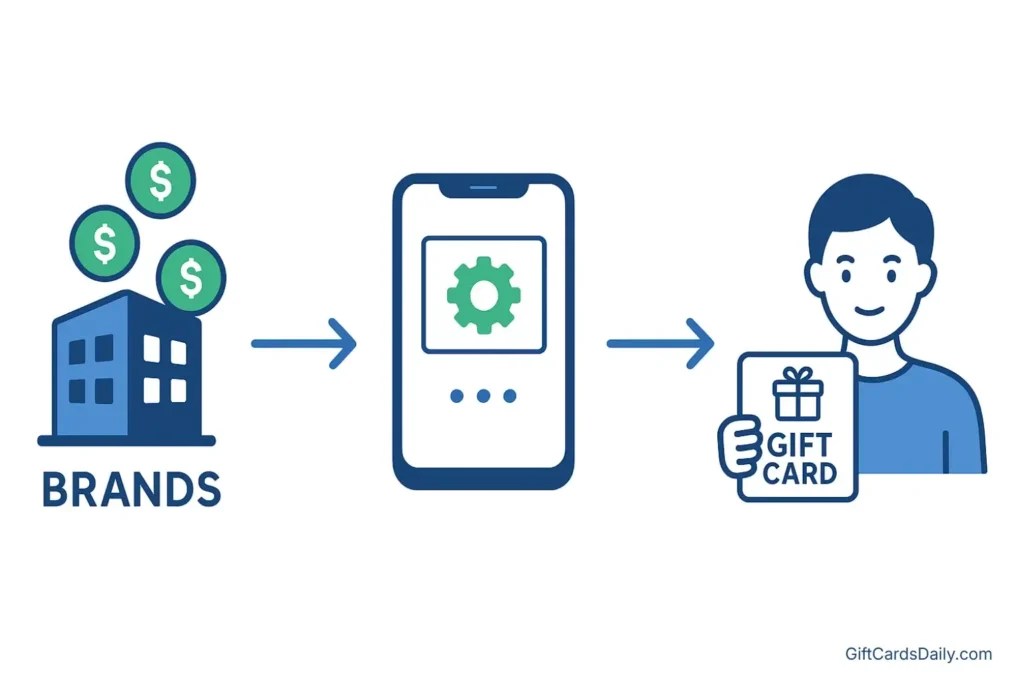
The business model is surprisingly straightforward. Major brands need consumer data and engagement to improve their products and marketing. Instead of spending millions on traditional focus groups, they partner with reward platforms to reach real users like you. When you complete surveys, test new apps, or watch promotional videos, companies pay the platform. The platform then shares a portion of that payment with you—typically in the form of gift cards for popular services.
Think of it as micro-tasking for entertainment credits. A streaming company might pay $2 for someone to watch a 30-second ad and answer three questions. The reward app takes a small cut (maybe 20-30%) for facilitating the connection, and you receive the rest as points convertible to gift cards.
This model has been proven profitable for over a decade. The key is finding platforms that are transparent about payouts, have verifiable payment histories, and don’t require invasive permissions or suspicious “verification” steps.
Top Method: Using “GiftCards Daily” for Entertainment Rewards
Among the dozens of reward apps available in 2026, GiftCards Daily has emerged as one of the most reliable options specifically for entertainment spending. Unlike generic survey sites that might take weeks to accumulate enough points, this platform focuses on quick, mobile-friendly tasks that align perfectly with earning streaming subscriptions.

Why It Works for Entertainment
The standout feature is flexibility in redemption options. You’re not locked into a single gift card type. GiftCards Daily offers direct payouts for:
- Google Play credits (perfect for Android users who subscribe through the Play Store)
- Apple Gift Cards (ideal for iOS subscribers managing services through iTunes)
- PayPal cash (the universal option that works for any subscription paid by card)
- Amazon Gift Cards (useful for Prime Video or purchasing digital movie rentals)
This variety means you can earn rewards once and apply them to whichever streaming service you’re currently prioritizing, whether that’s paying for Netflix this month or securing Spotify Premium next month.
How to Earn in 3 Steps
1. Download & Select: Install the app and choose “Entertainment” tasks (casual games or surveys).
2. Play to Earn: Spend 15-20 minutes daily on tasks. Average earning: $10 every 3-5 days.
3. Redeem & Stream: Cash out your points for a Google Play, Apple, or PayPal card and apply it to your subscription account.
These aren’t complex games requiring skill—think simple puzzle games, match-three titles, or idle clickers that run in the background. A typical user can earn enough for a $10 gift card within 3-5 days of casual use, which is roughly equivalent to one month of Spotify Individual or half a month of Netflix Standard.
Proof of Payment
Skeptical? Fair enough. The platform maintains a public gallery of redemption screenshots, including recent payouts specifically used for streaming services. Users regularly post proof of redeeming $25 Google Play cards applied directly to their YouTube Premium subscriptions or $15 iTunes cards funding their Apple Music accounts.
The verification process is straightforward: earn points, request a payout, and receive your digital code via email within 24-48 hours. No hidden fees, no “processing charges,” no requests for bank account information.
Deep Dive: Earning Specific Entertainment Cards
While GiftCards Daily provides a general solution, understanding how to target specific streaming platforms can help you strategize your earning approach. Each service has slight quirks in how they accept alternative payment methods.
How to Get Free Netflix Gift Cards
Netflix remains the most expensive streaming subscription for most households, making it the top priority for cost-cutting strategies. Unfortunately, Netflix eliminated their free trial completely in 2023 and doesn’t offer a free tier with ads in most regions.
However, you can pay for Netflix using prepaid gift cards or by redeeming Google Play/iTunes credits if you subscribe through mobile platforms. The trick is understanding which card types Netflix accepts—they don’t take Amazon gift cards directly, for example, but they do accept Visa prepaid cards purchased with earned rewards.
The most efficient paths for paying Netflix:
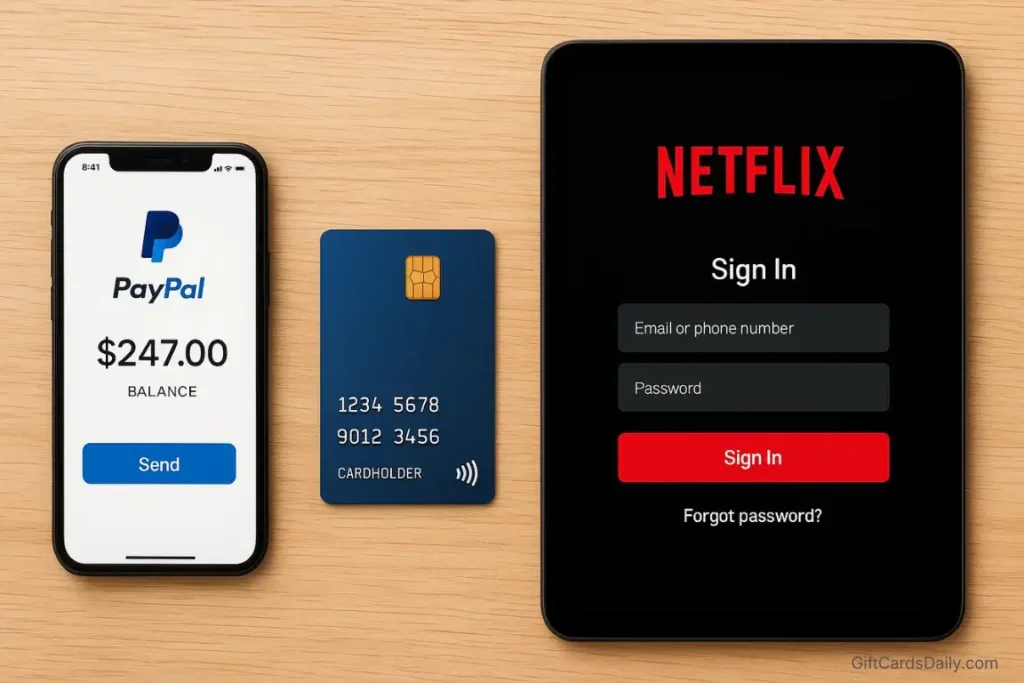
- Mobile App Route: Earn Google Play credits through reward apps, then use those credits to pay for your Netflix subscription if you originally signed up through the Android app. iOS users can do the same with Apple Gift Cards through iTunes.
- PayPal Bridge Method: Redeem your reward points for PayPal cash, then link your PayPal account as your Netflix payment method. This is the most universal approach and works regardless of how you originally signed up.
- Prepaid Visa Cards: Use earned Amazon credits or PayPal to purchase Visa prepaid cards, which Netflix accepts as standard credit cards.
This method works for both Standard and Premium tiers, and the PayPal route is particularly valuable since it bypasses the need to subscribe through app stores.
For step-by-step instructions on redemption methods, payment alternatives, and maximizing your earning strategy, check out our comprehensive resource: 5 Ways to Get Free Netflix Gift Cards in 2026. That guide covers lesser-known credit card cashback stacking methods and subscription timing strategies to maximize value.
How to Score Free Spotify Premium
If you’re still suffering through Spotify’s increasingly frequent ad interruptions, you’re leaving money on the table. Spotify Premium costs $11.99 monthly for individuals in 2026, but that expense can be completely eliminated using earned gift cards.
Spotify accepts both Google Play and iTunes gift cards as payment methods when you manage your subscription through mobile apps. Alternatively, you can purchase Spotify-specific gift cards from retailers using earned Amazon credits or PayPal cash from reward platforms.
The Premium Duo plan ($14.99) is particularly cost-effective if you’re splitting it with a partner or roommate. Using reward apps, one person can earn the full monthly cost in under a week, essentially providing free premium music for two accounts.
Want to know exactly which reward tasks pay the most for Spotify credits? Our detailed guide breaks down the fastest earning methods: How to Get Free Spotify Gift Cards: Complete 2026 Strategy. You’ll also learn about student discount stacking and family plan optimization techniques.
Earning Disney+ & Hulu Credits
Disney’s streaming empire now includes Disney+, Hulu, and ESPN+, with bundle options that seem economical but still add up quickly. The Disney+ Basic (with ads) plan costs $7.99 monthly, while the ad-free version jumped to $13.99 in late 2025.
The good news: Disney+ readily accepts gift card payments, making it one of the easiest services to fund through reward programs. You can either purchase Disney-specific gift cards or use general prepaid Visa cards earned through platforms like GiftCards Daily.
For families, the calculation becomes even more compelling. The Disney Bundle (Disney+, Hulu, ESPN+) costs $14.99 monthly with ads. If two family members each dedicate 10 minutes daily to earning rewards, you can cover this cost entirely while gaining access to three major streaming libraries.
Dive deeper into Disney-specific earning strategies with our dedicated resource: Easy Ways to Earn Free Disney+ Gift Cards. That article includes information on Disney’s occasional promotional bundles and how to time your subscriptions for maximum value.
Alternative Ways to Lower Your Entertainment Bills
Reward apps aren’t the only strategy for reducing streaming costs. A comprehensive approach combines multiple tactics to maximize savings without sacrificing your favorite content.
Mobile Carrier Bundles
Major US carriers have significantly expanded their streaming perks in 2026. T-Mobile’s Magenta and Magenta Max plans now include:
- Netflix Standard with ads (on Magenta Max)
- Apple TV+ subscription
- Paramount+ Essential
Verizon’s premium unlimited plans often bundle Disney+, Hulu, or ESPN+ at no additional cost. If you’re already paying for a higher-tier phone plan, you might be entitled to streaming services you’re currently paying for separately. Check your carrier’s current promotions—these partnerships change quarterly.
The catch: you typically can’t downgrade your phone plan without losing the streaming benefit, so calculate whether the phone plan premium exceeds the streaming value.
Credit Card Perks
Several credit cards issued in 2025-2026 specifically target streaming expenses with enhanced cashback rates:
- The Chase Sapphire Reserve offers 10x points on select streaming services when combined with Pay Yourself Back features
- American Express Blue Cash Preferred provides 6% cashback on streaming (after recent category updates)
- Capital One SavorOne gives 3% back on entertainment, including most streaming platforms
For someone spending $70 monthly on streaming, a 6% cashback card returns about $50 annually—not life-changing, but worth 30 minutes of research and a card application.
Family Plan Sharing
The math on family plans is compelling when split properly:
- Spotify Family ($19.99 for 6 accounts) costs just $3.33 per person monthly
- YouTube Premium Family ($22.99 for 6 accounts) drops to $3.83 per person
- Netflix Premium ($22.99, 4 simultaneous streams) costs $5.75 per household when shared
Services like Apple One Family ($25.99) bundle Music, TV+, Arcade, and iCloud+ for up to 6 people—essentially $4.33 per person for four services that would cost $30+ individually.
The challenge is finding reliable cost-sharing partners. Some users coordinate through social platforms or family-plan-sharing websites, though this technically violates terms of service for most providers. Use judgment here based on your risk tolerance.
Red Flags: Avoiding Gift Card Scams

As demand for free streaming alternatives grows, so does the sophistication of scams targeting desperate bargain hunters. Protect yourself by recognizing these warning signs:
Code Generators and “Unlimited” Promises
Any website claiming you can generate unlimited gift card codes is lying. Gift cards are financial instruments with unique codes tracked by retailers. There’s no magical algorithm that creates valid codes from thin air.
These sites typically operate one of two ways: they’re collecting your personal information to sell to data brokers, or they’re infecting your device with malware disguised as a “verification” download.
If you see phrases like “Working 2026 Netflix Code Generator” or “Unlimited Spotify Premium Hack,” close the tab immediately.
Requests for Sensitive Personal Information
Legitimate reward apps need minimal information: typically an email address and age verification. They should never request:
- Your Social Security Number
- Bank account numbers or routing details
- Credit card information for “verification” purposes
- Copies of government-issued IDs
If an app or website asks for these details before you’ve even earned anything, you’re looking at either an identity theft operation or an elaborate phishing scheme.
WhatsApp and Telegram “Exclusive” Groups
A common scam in 2026 involves invitations to “exclusive earning groups” on messaging platforms. The pitch sounds appealing: join this group, follow simple instructions, and receive $100+ in gift cards weekly.
The reality: these groups either charge “membership fees” that you’ll never recoup, or they’re recruitment schemes for pyramid-style operations where your earnings depend on signing up others rather than completing legitimate tasks.
Safety Rule: If a platform requires “human verification” that asks for credit card details, payment to “unlock your earnings,” or downloading suspicious apps from non-official stores, you’re dealing with a scam. Run.
Legitimate services pay you directly. They don’t require investment, special access fees, or “proof of humanity” that coincidentally needs your financial information.
Frequently Asked Questions
Can I use an Amazon Gift Card for Netflix?
No, Netflix doesn’t accept Amazon gift cards directly as payment. However, you can purchase Netflix-specific gift cards from Amazon using earned Amazon credits, or you can buy Visa prepaid cards from Amazon that Netflix will accept.
The most direct path is using Google Play or iTunes credits if you manage your Netflix subscription through mobile apps. For detailed payment method options, visit Netflix’s official gift card redemption page.
How long does it take to earn a month of service?
Honest answer: it depends on your effort level and which service you’re targeting. With GiftCards Daily, users typically earn enough for basic streaming subscriptions within 3-5 days of casual engagement (15-20 minutes daily). A Netflix Standard subscription ($15.49) might take a full week if you’re only engaging during commute times, while Spotify Individual ($11.99) could be covered in 4-5 days.
If you’re more aggressive—dedicating 30-45 minutes daily to completing surveys, watching video ads, and playing reward games—you can potentially cover $30-40 in streaming costs monthly.
Do these codes expire?
Most digital gift card codes remain valid for 12+ months from the date of purchase. However, once you redeem a code to your streaming account, the credit typically must be used within the service’s standard billing cycle. For example, if you load $30 onto your Google Play balance and use it for Netflix, that credit will be drawn down each month until depleted.
Always check the specific terms—Spotify’s gift card terms can be found at their official redemption page, while Apple’s policies are detailed on their gift card support site.
Is this actually worth my time?
That’s the most important question, and the answer depends on your situation. If you’re already spending time on your phone scrolling social media or playing mobile games without rewards, redirecting that same time to reward-earning apps is a straight upgrade. You’re essentially converting leisure time into savings.
However, if you’d need to carve out new time from productive activities or hobbies you genuinely enjoy, the trade-off becomes questionable. At minimum wage rates, the hourly “earnings” from reward apps fall below what you’d make at a side job.
The sweet spot: integrating reward tasks into existing downtime (commutes, waiting rooms, commercial breaks) where you wouldn’t otherwise be earning money.
Final Verdict: Stop Paying Full Price
Streaming services have collectively conditioned us to accept rising prices as inevitable. Every few months brings another announcement: “We’re investing in quality content, so we’re raising subscription fees by $2.” Over years, those incremental increases compound into significant annual expenses.

The reality is that free entertainment gift cards aren’t really “free”—they’re compensation for your time and attention. But unlike passive consumption, micro-tasking apps like GiftCards Daily essentially function as a discount mechanism, letting you trade small amounts of time for direct reductions in your entertainment bills.
Will you become wealthy earning gift cards? No. Will you eliminate all entertainment expenses? Probably not. But can you realistically reduce your streaming costs by 30-50% with minimal effort? Absolutely.
The strategy is cumulative. Earn $10 this week toward Netflix, another $12 next week toward Spotify, redirect your credit card cashback toward Disney+, and suddenly you’re covering two full subscriptions monthly without touching your actual paycheck.
For the cost of installing an app and spending time you’d otherwise waste, that’s a trade worth making.
Ready to start earning? Download GiftCards Daily on Android and begin converting your downtime into your next month of streaming. Your current subscriptions renew whether you take action or not—you might as well make them cheaper.
For more strategies on reducing your entertainment costs, explore our complete library of guides:
- Free Netflix Gift Cards: 5 Proven Methods
- Free Spotify Premium: Complete Earning Guide
- Disney+ on a Budget: Gift Card Strategies
- GiftCards Daily Review: Is It Worth Your Time?
This article contains recommendations based on research and user experiences. Always verify current terms and conditions with service providers and reward platforms before making decisions.